Hover Sounds
Thank you for purchase. If you have any questions that are beyond the scope of this help file, please feel free to send a message on the link. Thanks so much!
Installation
Make sure you extract downloaded file from codecanyon, inside you will find file named: 'aphs.zip'. This is the plugin file you upload in WordPress panel!
How to update when new plugin version has been released?
1. Using FTP client, delete old plugin files and upload new ones. Clear browser cache.2. Your previously created data is going to be saved.
Intro
With this plugin you can attach sound to any HTML element. These sounds can play on hover or a click.
Shortcodes
Standard embed
Add shortcode in page (add ID attribute of HTML element you want to trigger sound and SOUND_URL)
Use class name (add classname of HTML element you want to trigger sound and SOUND_URL)
Or target your element directly, add attribute to HTML element:
If its a word, wrap it in span so you can add data-hover-sound attribute:
Inline links
Target hyperlink elements in page and adds pause / play icons to them. Add class="aphs-link" to your hyperlink and SOUND_URL.
Example in text (this text contains links to 2 sounds):
Predefined examples
Toggle button (pause / play)
Image with volume icon
Two buttons, one for normal sound, one for slow sound
Two buttons, one for normal sound, one for ASL / sign language video
Using shortcodes in post editor
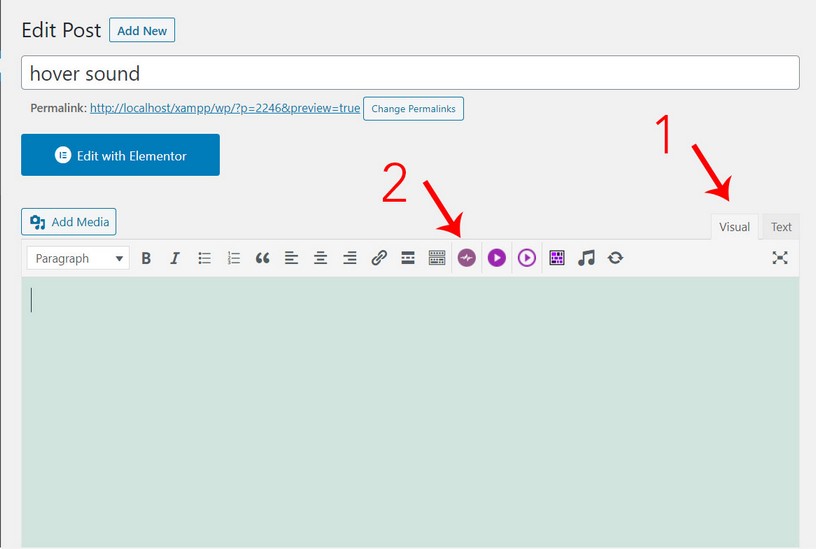
Click Hover sounds Shortcode Generator icon
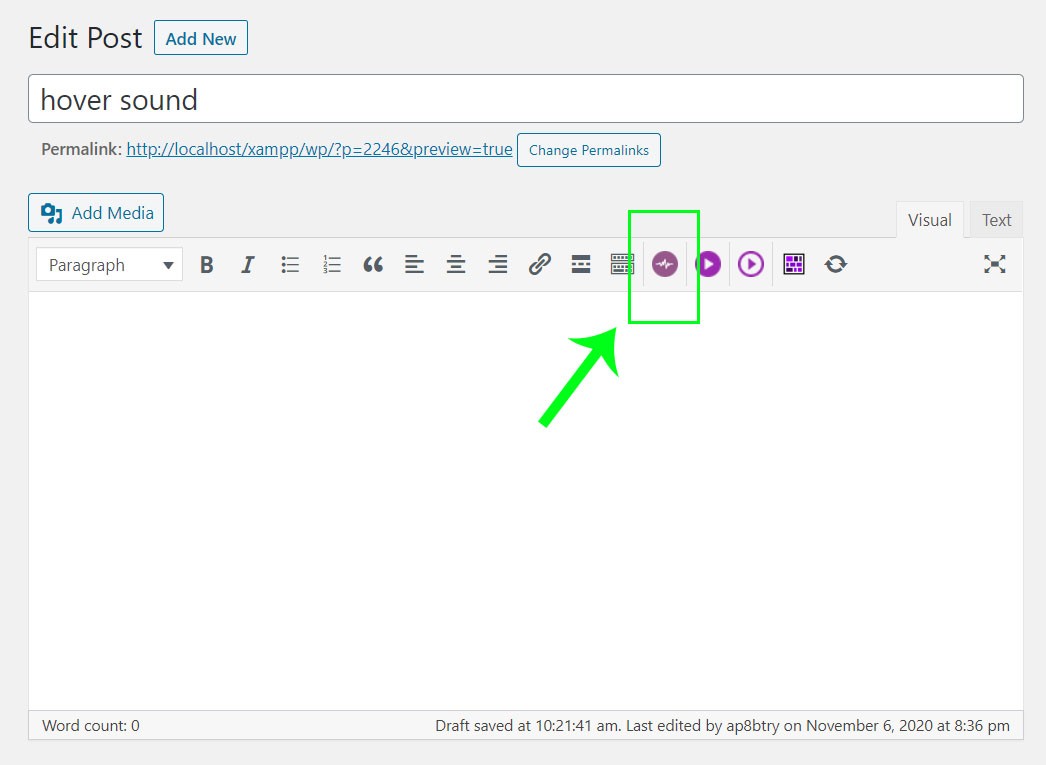
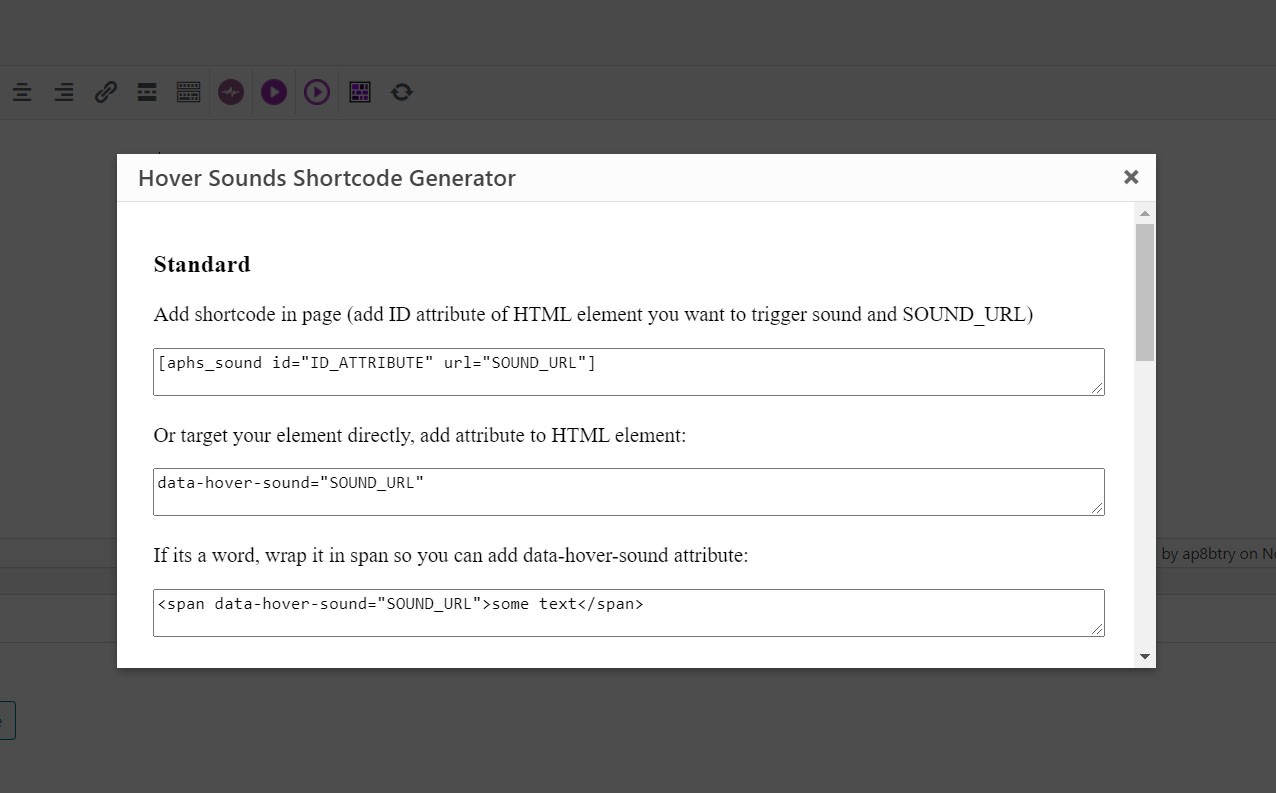
Add sounds in Elementor
This example will guide how to add sounds to multiple sections in Elementor (each section will then play different sound on hover).
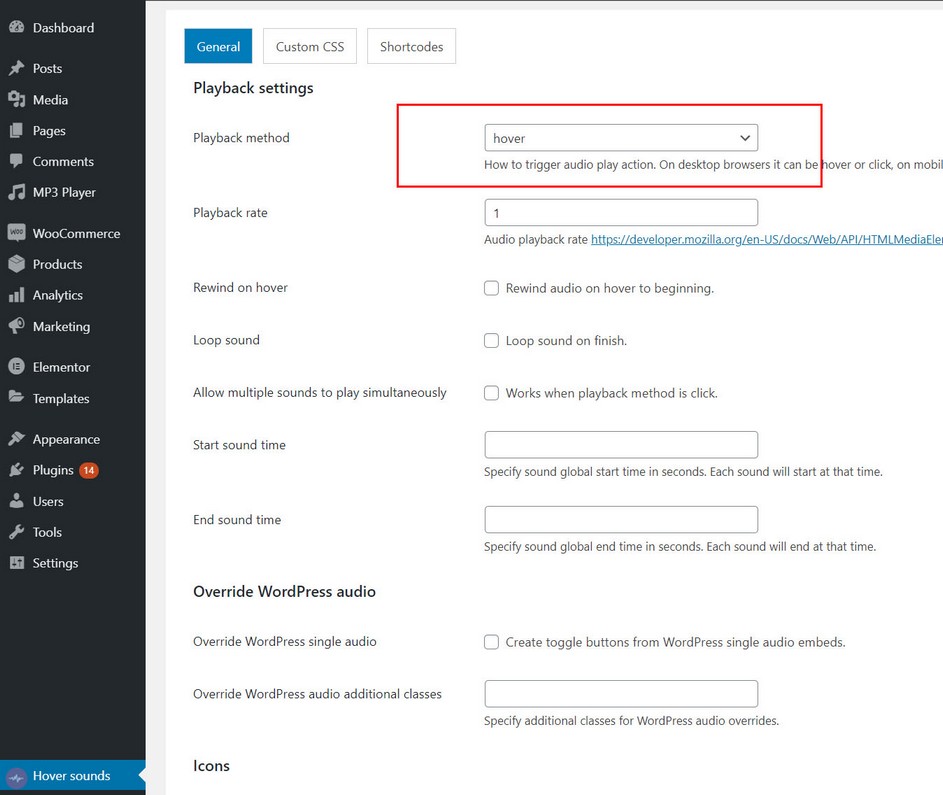
In Hover sounds plugin menu section, select Playback method hover or click.
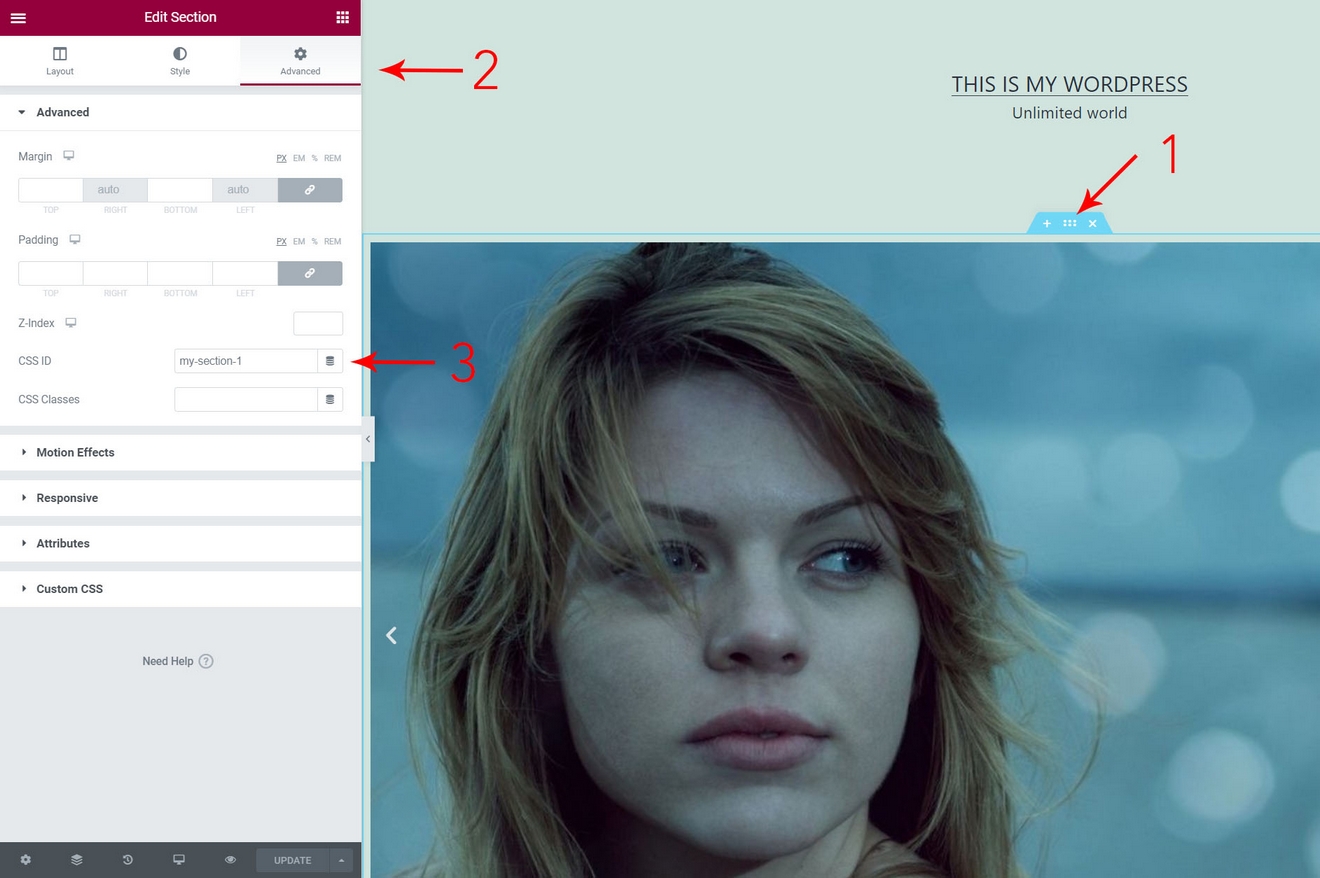
In Elementor editor, select section Edit section, go to Advanced tab, and add unique ID attribute for this section (we use "my-section-1" as example). Repeat this process for every section you want to add sound.
In Wordpress Post/Page editor, select Visual editor, and click "Hover Sounds Shortcode Generator" icon, which will open shortcode editor.
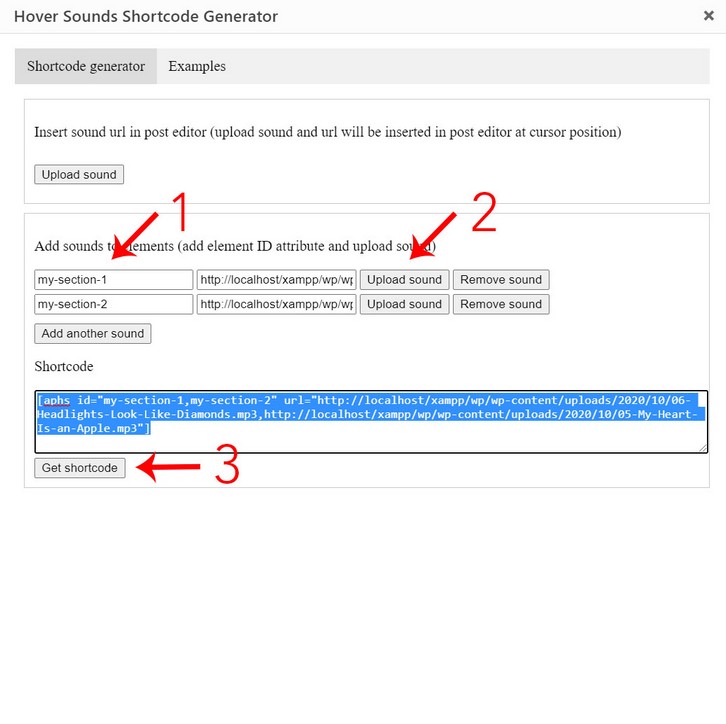
Once in shortcode editor, enter your section ID attribute (which you used in Elementor), and upload sound. Repeat this for every section you want to add sound. Once you are finished, click Get shortcode.
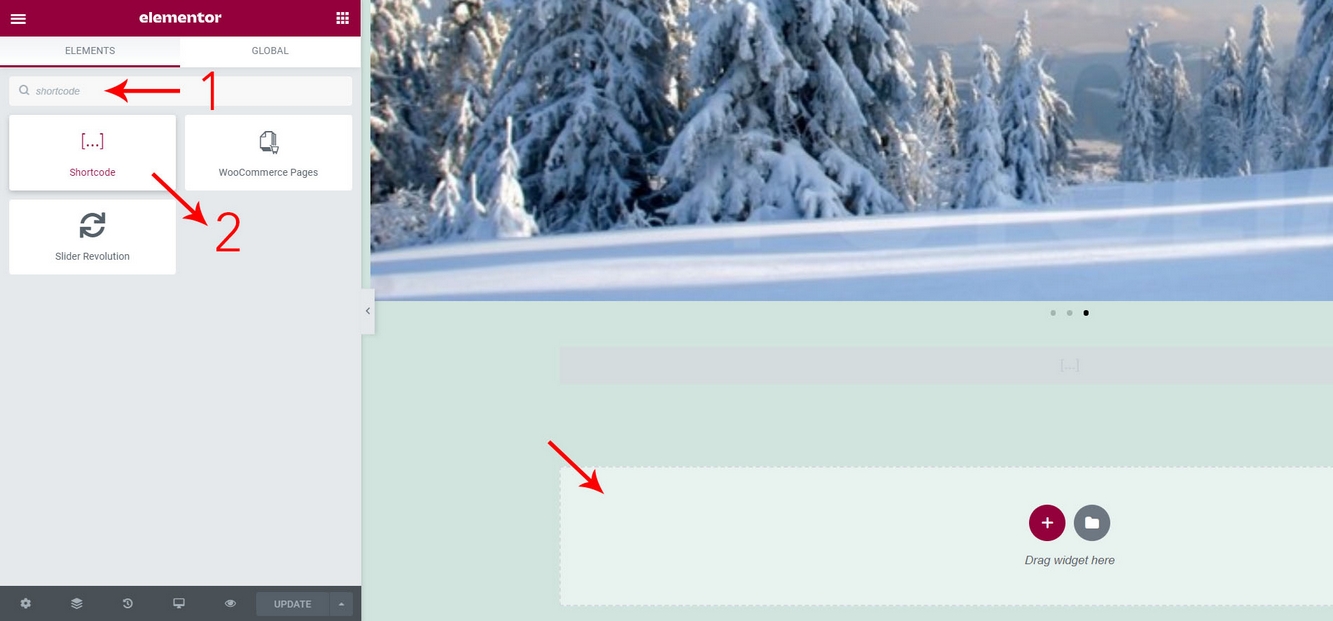
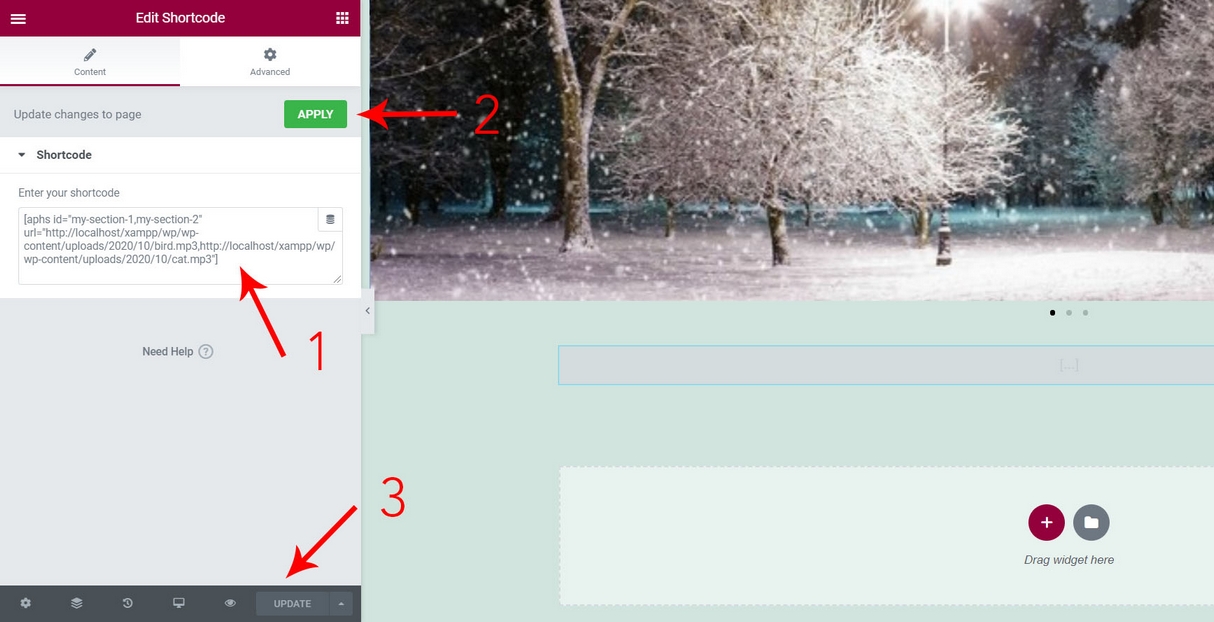
In Elementor editor, search for shortcode widget, and add your shortcode we generated in previous step. Apply changes and update. Then you can preview the page.
You can also view video tutorial on how to add shortcode in Elementor:
https://elementor.com/help/shortcode-widget/If you are playing sounds on hover, make sure to check troubleshooting section, Sound doesnt play on hover
How to implement Google Analytics
Activate analytics in Google Analytics tab:
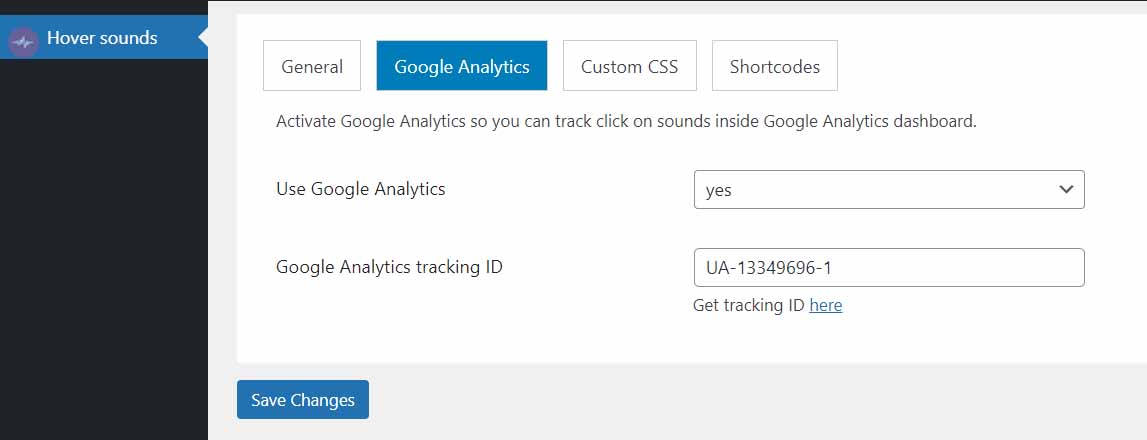
Following events will be displayed inside your Google Analytics panel / REAL-TIME / Events section:
Song click / Sound url
Troubleshooting
Sound doesnt play on hover
Note that for a sound to start playback on hover, its necessary for user to interact with the page before (like a click or keypress or using browser scrollbar). This is a browser restriction and its not possible to work around it. More info available here: https://developers.google.com/web/updates/2017/09/autoplay-policy-changes
So if you are trying to implement sound play on hover inside your website, it would be helpful if you had some kind of confirmation dialog inside your website (like a popup screen which shows on page load or similar) which would ensure user will have to click before actually interacting with your website.
Plugin does not work as expected
If the plugin does not work as expected, send a message at http://codecanyon.net/user/Tean#contact , provide your PURCHASE CODE, and provide a link to your live page if possible.
Any bug reports, improvements and other suggestions, or wishlist on our plugin is always welcome!